
This is an old revision of the document!
Table of Contents
Yamaha Audio Amp/Receiver
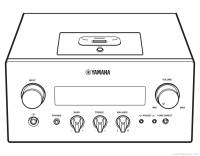
Yamaha MCR-840
Yamaha R840 is part of Micro Component System MCR-840 and comes with either CD-Player (MCR640), DVD-Player (MCR840) or BluRay-Player (MCR940). The players are connected via RCA but need a proprietary “System Connector” cable. The remote control is different for MCR640.
The system comes with Yamaha NS-BP300 speakers in black or white which sound good.
It has a coax Subwoofer-out. You can add Bluetooth capability via iPod-30pin dock or RCA.
Unlock RCA-input of player with “hacking” System Connector or iPod 30pin dock and use remote controls over UART.
Unfortunately, it lacks Yamaha loudness control, which you might add with loudness circuit.
Repair & Service
Schematics / service manual:
https://elektrotanya.com/yamaha_mcr-840_mcr-940_mcr-640_r-840_ns-bp300_sm.pdf/download.html
short version for R840 only
Self-Diagnostic Mode: unplug device, turn balance completely to the left. Then press Pure-Direct button while plugging in the socket. Check error code in the service/schematics manual.
Try resetting the error first in self-diagnostic mode, the device may function again (at least for some time). download diagnostics only part of manual
Read the block diagram from service manual: block-diagram.pdf
Capacitor
The stereo receiver has a standby circuit, which is permanently powered and uses a film capacitor (C13 with 22nF, 630V). Due to aging and impulse spikes the capacitor dies, the yellow LED just blinks and the receiver does not turn on.
http://www.hifi-forum.de/viewthread-220-3031.html#15
Replace with Polyester dielectric capacitor (MKT type), or better use one with polypropylene (MKP type). The voltage rating may also be higher than 630V.
Resistors
'Protection Mode' problem:
There are four 68k 1/8W SMD resistors setting the constant current of the circuit. Replace them with >=1/4W metal film resistors (you can use THT too). Unfortunately, they are on the underside of the main PCB, so you have to remove a lot of components to get to the four 68k resistors R552, R553, R622, R623.
See
http://www.hifi-forum.de/viewthread-220-8212.html
and
http://www.hifi-forum.de/viewthread-220-3031.html#32
Note: A-S1000 has similar issues.
R-N602 also has the Protection Mode problems.
Probably more Yamaha systems can be repaired in that scheme.
Disc Player manual eject
The players only turn on with system connector plugged into R840 amp (see below how to simulate system connector).
To eject disc from player without power, the manual says to slide a flat head screwdriver in the slot at the bottom.

System Connector
the round one
The system connector is used for a connected disc player. It enables the RCA-input for the player and also transfers signals like power-toggle.
It uses proprietary 8‑pin DIN connector (find the cable under name “MINI DIN 8-PIN MD8”).
Pinout from service manual: systemconnector.pdf
Pin5 is +10V from amp to player.
Test system connector: syscon-test.pdf

system connector pin descriptions:


communication signal
Even though lines are called MISO and MOSI in service manual, the communication is UART tx/rx. BAUD is 9600, 8bits, 1start+1stop bit, no parity, LSB first;
First two bytes are always 0xFF 0x55.
Last byte is checksum = (~(sum(bytes_except_checksum) & 0xFF)) & 0xFF
For the bytes in between, see source code.
#TODO unlocking CD-Player RCA input + remote controls + USB
#TODO upload pulseview logic analyzer snippets
the flat one: writing port
Yamaha devices use a so called “writing port”, a flat cable, e.g. for flash ucom via RS232-adapter. It is known for updating firmware over PC software (which we don't have).
R840 uses Renesas M16C/64 R5F3640DNFA MCU. Service manual states to use FlashSta.exe (which we don't have, neither R840_xxx.mot + R840_xxx.id firmware), FYI see Renesas M16C flashing guide. If you still want to look into flashing M16C MCU go to
http://www.m16c-flasher.de/ or https://m16c.mikrokopter.de/. There is also an OSS flasher on github https://github.com/truhy/m16c-flasher fixing some of the problems.
Writing port of R840:
 of DVD player:

Note that manual says two different adapters are needed - the voltage level is not the same.
Other Yamaha receivers also instead use D-Sub connector for RS232.
Jump to RS232 sample projects
iPod-30pin Dock
Make sure the input on the iPod dock (like Bluetooth adapter) is pre-amplified - (the cheap adapters are commonly not)!
iPod dock is basically another line-in input with UART rx/tx lines for iAP commands.
Page 64 of manual: ipod.pdf
Also see Page 65 of service manual.
#TODO insert iPod links
https://pinoutguide.com/PortableDevices/ipod_pinout.shtml
AdrianGame : iPod Accessory Serial Protocol
https://web.archive.org/web/20080622202730/http://stud3.tuwien.ac.at/~e0026607/ipod_remote/ipod_ap.html
http://www.ipodlinux.org/Apple_Accessory_Protocol/
xtensa/PodEmu: Android application that emulates iPod to use together with old 30-pins iPod serial interface
xtensa/oap: Implementation of iPod serial communication protocol used in old 30-pin iPod interfaces
oandrew/ipod-gadget: iPod usb gadget for audio playback
#TODO insert communication protocol
#TODO insert remote controlling
#TODO add custom PCB for iPod dock replacement
other Yamaha
USB iPod iAP
Receivers with USB can use its iPod input if available. RC and CoverArt possible.
Note: RockBox-Player supports iAP
- SparkFun precompiled ESP32 Arduino iAP2 library (closed software)
- iPod USB HID on Linux
- iap2 and read its blog writeup
- Writeup of iPod-USB play in McLaren
- PiPod using ipod-gadget lib
- iAP ipod in Go
FYI: Texas Instruments’ CC256x Bluetooth modules have optional software add-ons for iAP support in the module / stack, so there is no need to implement the full protocol.
Yamaha Loudness
#TODO upload loudness schematics
#TODO software implementation of loudness
#auto-volume level + auto-level loudness curve
#add dynamic range compression
other interconnections
RS232 example projects
RS232 connection has be done to various receivers, e.g. see the following:
- RxV1600 RS232 on ESP32
- https://github.com/memphi2/homie-yamaha-rs232 Homie MQTT for openHAB with ESP8266 serial
- https://github.com/firefrei/yrxv1500-mqtt rs232 to mqtt
- https://github.com/akentner/yamaha-avr2mqtt rs232 with nodes.js
system connector: the audio jack one
Yamaha Soundbars use an audio jack as “system conector”. It is a control voltage which can also be used to to switch a relais ~9-12V, consider using DC-DC isolated converter
https://www.youtube.com/watch?v=KfUnEoQaNIs
http / net
https://github.com/honnel/yamaha-commands http API
https://github.com/Raynes/rxvc
https://github.com/wuub/rxv
https://github.com/soef/y5 JS simple API
YNCA protocol communication
https://github.com/memphi2/homie-yamaha-rs232 Homie MQTT for openHAB with ESP8266 serial
Yamaha YNCA for HomeAssistant
musiccast for iobroker
- Of course there are plugins for various Yamaha network receivers for smart home like HA ioBroker etc
YTuner and YCast replace vTuner internet radio service for AVRs
MusicCast
node red musiccast
node red YXC
Musiccast on Unfolded Circle Remote 2/3 remote controls
https://github.com/neutmute/swimbait Emulates a Yamaha MusicCast as ASP.NET application
openHAB Yamaha basic MucicCast control
#TODO: DLNA
#TODO: bt-audio-sync force (aka MarantzNR)
iR codes
iR codes for R840 can be found on page 80/150 of service manual (next to remote control schematic).
yamaha V667 etc iR codes
Related
#TODO: Onkyo,Marantz,Denon system connector
Consider using Bluetooth to AUX and FM transmitter adapters to add wireless audio to your system. There are cassettes with line-in and even bluetooth too.